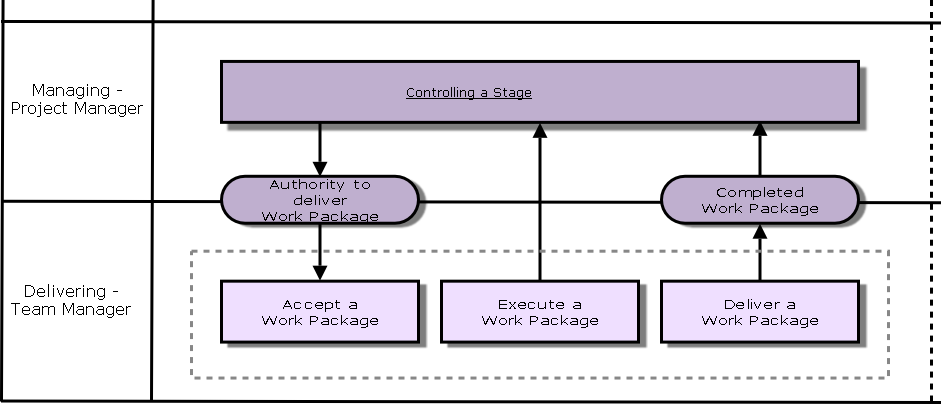
Objectives
- Each Work Package is authorised and agreed.
- Team members have a clear understanding of the Products.
- Products delivered within expectations and tolerances.
- Project Manager receives accurate progress information.
Roles and Responsibilities
Executive
Approves creation of specialist Products.
Senior User
Approves creation of specialist Products.
Senior Supplier
Approves creation of specialist Products.
Project Manager
Creates Work Package; approves Team Plan; reviews Issues and Risks; reviews Quality Reports and Change Requests.
Team Manager
Creates specialist Products, Configuration Item Records, Team Plan, Change Request; raises Issues and Risks; reviews Quality Reports; updates Work Package; obtains approval Records
Project Assurance
Reviews WP, Team Plans, approval Records.
Project Support
Updates Quality Register, Configuration Item Records; reviews approval Records.
Applying the Themes
Business Case (Why)
Business Case is reviewed in case of new Risks and changes in Benefits.
Organisation (Who)
Reporting requirements from Communication Management Strategy.
Quality (What)
Review Quality Register and approval Records.
Plans (How, How much, When)
Team Plan is created.
Risk (What if)
Escalate new risk information.
Change (What is the impact)
Escalate Issues to Project Manager.
Progress (Where are we, direction, should we carry on)
Review Work Package, create Checkpoint Reports, update Team Plan to show WP is complete.